
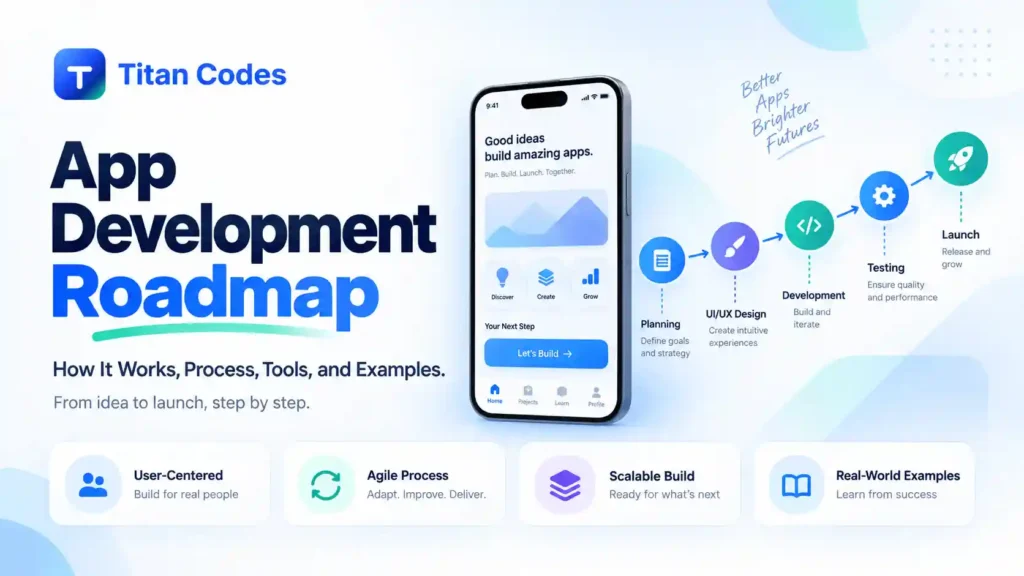
An app idea can sound simple when you first describe it.
Maybe customers need to book appointments. Employees need to submit field reports. Users need to track deliveries. Or you have an idea for a new subscription-based mobile product.
Then development starts, and the list gets much longer.
The app needs screens, authentication, a database, APIs, notifications, analytics, an admin panel, testing, cloud infrastructure, App Store assets, privacy information, and a plan for what happens after launch.
This is why a clear app development roadmap matters.
A good roadmap takes the product from an initial idea to something real users can download and use, without trying to make every decision at the same time.
What Is the Ideal App Development Roadmap?
An app development roadmap is a structured plan for taking a mobile application from idea validation through product scope, UX design, technical architecture, development, testing, launch, and ongoing improvement.
A practical roadmap usually looks like this:
| Stage | Main Question | Output |
| 1. Validate the idea | Is this worth building? | Validated problem |
| 2. Define the users | Who will use it and why? | Core user journey |
| 3. Scope the MVP | What belongs in version one? | MVP feature list |
| 4. Plan the architecture | How should it work technically? | Technical blueprint |
| 5. Design the UX/UI | How will users complete tasks? | Tested prototype |
| 6. Build the product | How do the app and backend work together? | Working application |
| 7. Test it | Is it ready for real users? | Launch-ready build |
| 8. Launch the app | How will users get it? | App Store and Play Store release |
| 9. Improve after launch | What should change next? | Product improvement roadmap |
The important part is the order. Building becomes much easier when the team has already agreed on the problem, users, scope, and architecture.
What Is an App Development Roadmap?
An app development roadmap explains what needs to happen, when it needs to happen, and what each stage should produce.
It is more useful than a feature list.
A feature list might say:
- Login
- Search
- Payments
- Notifications
- Profile
- Admin panel
That tells the development team what features exist, but it does not explain which features belong in the first release, what backend services they require, how users move between them, or which assumptions should be tested first.
A roadmap connects those decisions.
For example:
Problem → MVP Scope → User Flow → Architecture → Development → Testing → Launch
That gives designers, developers, founders, and stakeholders a common plan.
Why Do You Need an App Development Roadmap?
The biggest benefit of a roadmap is not documentation. It is avoiding expensive decisions at the wrong time.
Changing a user flow while it is still a wireframe is relatively simple. Realizing the same flow does not work after the frontend, APIs, and database have already been built can be much more expensive.
A roadmap also helps stop teams from building features simply because someone suggested them during a meeting.
It gives the team a place to ask:
- Does the user actually need this?
- Is it required for the first release?
- What depends on it?
- Can we test the product without it?
- What happens if we leave it for version two?
The goal is not to predict every detail before development begins. It is to make the important decisions early enough that they are still easy to change.
The 9-Step App Development Roadmap
Step 1: Validate the App Idea
Do not start by choosing Flutter, React Native, Swift, or Kotlin.
First, work out whether the product deserves to exist.
Ask:
- What problem does the app solve?
- Who has this problem?
- How are they solving it today?
- Why would they switch?
- How often does the problem occur?
- Does this really need to be a mobile app?
That last question matters.
If users mainly need to complete a task from a desktop browser once a month, a mobile app may not be the best first product. A responsive web application could solve the problem with less development and maintenance.
Validation does not have to mean months of research. You might interview potential users, review competitors, test a landing page, create a clickable prototype, or look at existing customer requests.
At this stage, you are trying to answer one question:
Are we solving a real enough problem to justify building the app?
Output: Validated app concept.
Step 2: Define the Users and Core App Journey
Once the problem is clear, define who will use the app and what they need to accomplish.
You do not need a 20-page persona document.
Start with the main user and their main job.
For a booking app, the journey might be:
Open app → Find service → Check availability → Choose time → Pay → Receive confirmation
For a delivery app:
Create order → Assign driver → Track delivery → Confirm completion
This gives the product team something concrete to design around.
Secondary features can come later.
If the primary journey is confusing, adding referral programs, loyalty points, advanced filters, or social sharing will not fix the product.
Output: Core user journey.
Step 3: Define the MVP and Prioritize Features
This is where many app projects become unnecessarily expensive.
The first version starts with five important features. Then somebody suggests social login. Another person wants a referral system. Someone asks for multiple languages. Then loyalty rewards appear on the list.
Soon the “MVP” contains almost everything planned for the next two years.
A better approach is to separate features into three groups.
Must Have
The app cannot deliver its main value without these features.
For an appointment app:
- User account
- Service selection
- Availability
- Booking
- Payment
- Confirmation
Should Have
Useful features that improve the experience but do not determine whether the core idea works.
Later
Features that can be considered after people are actually using the product.
Titan Codes takes the same approach with its MVP work, keeping the first release focused enough to test the main workflow before adding features that have not yet proved their value.
Explore Titan Codes MVP Development
Output: MVP feature roadmap.
Step 4: Choose the Platform and Technical Architecture
Once the MVP is defined, decide how it should be built.
This includes the mobile technology as well as everything behind the app.
Native Development
Native apps are built specifically for one platform, commonly Swift for iOS and Kotlin for Android.
This approach can be useful when the product needs deep platform integration or highly platform-specific behavior.
Cross-Platform Development
Frameworks such as Flutter and React Native allow teams to share a large part of the code across iOS and Android.
This can make sense when the goal is to support both platforms efficiently while maintaining a consistent product experience.
Web App or PWA
Some products may not need an installed application at all.
The right choice depends on the users, required device features, performance expectations, budget, development timeline, and maintenance plan.
Then there is the backend.
A serious app may need:
- APIs
- Authentication
- User accounts
- Database
- File storage
- Payments
- Push notifications
- Analytics
- Admin dashboard
- Cloud hosting
- Third-party integrations
Titan Codes treats mobile development as a complete product system, including frontend, backend APIs, data handling, analytics, testing, deployment, and future improvements.
Output: Technical blueprint.
Step 5: Design the UX and UI
Good app design starts with how people complete tasks, not with colors.
A practical design process looks like this:
User Flow → Wireframe → Prototype → Visual UI
Start by mapping the important screens and decisions.
Then account for the states that are easy to forget:
- Loading
- Empty results
- Errors
- Offline behavior
- Permission denied
- Payment failed
- Form validation
- Success confirmation
- Account recovery
Suppose someone designs a beautiful booking screen but never shows what happens when no appointments are available.
The design is not finished.
Mobile UX also needs to account for touch targets, smaller screens, keyboard behavior, navigation, interruptions, and device permissions.
Titan Codes UI/UX process follows a similar progression from research and user flows through wireframes, visual UI, prototypes, and developer handoff.
Explore Titan Codes UI/UX Design
Output: Development-ready prototype and interface system.
Step 6: Build the App and Backend
Now the development work starts.
A mobile product often has several connected layers:
Mobile App → API → Backend Logic → Database → External Services
The mobile interface handles what the user sees.
The backend may handle accounts, permissions, transactions, notifications, data processing, and connections with third-party systems.
Depending on the product, development could include:
- Login and authentication
- User profiles
- Payments
- Maps
- File uploads
- Push notifications
- Search
- Data synchronization
- Analytics
- Admin workflows
- Email or SMS
- CRM integrations
Where possible, development should happen in reviewable stages.
It is much better for stakeholders to see the booking workflow working early than to wait months for the entire app to appear at once.
APIs also deserve proper planning. Authentication, data mapping, validation, errors, retries, logs, and documentation all affect how reliably the app communicates with its backend and external services.
Titan Codes API Development and Integration
Output: Working application.
Step 7: Test the App Before Launch
Testing should answer more than:
Does the button work?
A launch-ready app needs to work under real conditions.
Functional Testing
Can users actually complete the core workflows?
Test registration, login, forms, payments, search, account changes, and other important actions.
Device Testing
Check the app across relevant screen sizes and devices.
Poor Network Conditions
Mobile users do not always have fast Wi-Fi.
What happens if the network slows down halfway through a payment or file upload?
Permissions
Test camera, location, notifications, photos, microphone, and other permissions where they are used.
Security
Check authentication, authorization, sensitive data handling, API access, and important user permissions.
Performance
Look at startup time, slow screens, API response issues, heavy images, crashes, and unnecessary requests.
Analytics
Make sure important events are actually being recorded before launch.
Apple explicitly tells developers to test apps for crashes and bugs, provide complete metadata, keep backend services available for review, and submit a complete working product.
Output: Launch-ready build.
Step 8: Prepare and Launch on the App Stores
Submitting an app is a product stage of its own.
For an App Store or Google Play release, you may need:
- App name
- Store description
- App icon
- Screenshots
- Privacy disclosures
- Support information
- Age or content rating
- Permission explanations
- Production build
- Review credentials
- Store listing assets
App store requirements should be considered before the final week.
Apple recommends reviewing its App Review Guidelines while the app is being planned and built, not only when the team is ready to submit.
Google Play also enforces technical requirements for submitted Android apps. For example, beginning August 31, 2026, new apps and updates generally need to target Android 16, API level 36, with separate requirements for certain device categories.
Store rules change over time, so always check the current Apple and Google requirements before preparing a release.
Output: Published application.
Step 9: Measure, Maintain, and Improve the App
Launch is not the finish line.
It is the first time many of your assumptions meet real users.
Track what people actually do.
Useful signals may include:
- Installs
- Account creation
- Onboarding completion
- Activation
- Feature usage
- Conversion
- Retention
- Crashes
- Payment failures
- Support requests
- Reviews
- Repeat usage
Suppose 10,000 people install the app but only 2,000 finish onboarding.
The next priority may not be a new feature.
The onboarding flow may need work.
Titan Codes mobile process includes post-launch review, analytics, issue response, and prioritizing improvements after the app is released.
Output: Evidence-based product roadmap.
Native vs Cross-Platform App Development
One common roadmap decision is whether to build separate native apps or use a cross-platform framework.
| Approach | Good Fit When | Main Consideration |
| Native | Deep platform integration or maximum platform-specific control matters | Separate iOS and Android development |
| Flutter | You want a shared cross-platform codebase and customized UI | Flutter ecosystem and team expertise |
| React Native | You need cross-platform delivery, especially with React experience | Some platform-specific work may still be required |
| Web/PWA | Browser access can meet the product need | Native device access may be more limited |
There is no universal best option.
Choosing a framework because it is currently popular is a weak reason.
Choose it because it fits the product you are trying to maintain for the next several years.
What Should Be Included in an App MVP?
An MVP is not a badly finished version of the complete product.
A mobile app MVP should contain the smallest complete workflow that allows real users to experience the product’s main value.
Consider a fitness app.
A useful MVP might contain:
- Account creation
- Workout library
- Start workout
- Track completion
- Basic progress history
It may not need:
- Social network
- AI coach
- Wearable integrations
- Marketplace
- Gamification
- Advanced recommendations
Those features may eventually be valuable.
The point is that the team should first learn whether people use the core workout experience.
A smaller scope also gives you something very important: feedback before the most expensive features are built.
How Long Does App Development Take?
There is no reliable timeline based only on the word “app.”
A simple internal tool and a consumer marketplace are both apps, but the development effort can be completely different.
For rough planning, you might think in ranges like these:
| App Scope | Illustrative Timeline |
| Focused MVP | Roughly 2 to 4 months |
| Mid-complexity product | Roughly 4 to 8 months |
| Complex platform | 8 months or more |
These are planning examples, not delivery promises.
The timeline can change based on:
- Number of user roles
- iOS and Android requirements
- Backend complexity
- Payments
- Third-party integrations
- Data migration
- UX depth
- Admin tools
- App-store requirements
- Testing
- Stakeholder approvals
A company promising a precise timeline before understanding those details is guessing.
What Team Do You Need to Build an App?
The team depends on the project.
A typical app may involve:
| Role | Main Responsibility |
| Product or Business Lead | Goals, priorities, and product decisions |
| UX/UI Designer | User journeys and interface |
| Mobile Developer | iOS, Android, or cross-platform frontend |
| Backend Developer | APIs, database, authentication, business logic |
| QA Engineer | Testing and release quality |
| DevOps/Cloud Engineer | Infrastructure and deployment |
| Project or Product Manager | Scope, coordination, and delivery |
Smaller projects do not necessarily require seven separate full-time people.
One experienced developer might cover frontend and backend. A designer may work heavily during the first phase and less during development.
What matters is that every responsibility has an owner.
Common App Development Roadmap Mistakes
Some app problems begin long before the first bug appears.
Starting With Features Instead of the Problem
A large feature list does not prove that people need the product.
Building the Entire Product Before Testing the MVP
You learn much more from real behavior than from internal opinions.
Designing Screens Without Planning the Backend
A beautiful screen still needs data, permissions, APIs, error handling, and business logic behind it.
Choosing Technology Because It Is Trending
The framework should fit the application and team, not social media enthusiasm.
Ignoring Empty, Error, and Offline States
Users will eventually encounter all three.
Testing Only on the Developer’s Device
Real users have different devices, network conditions, permissions, and behavior.
Adding Analytics After Launch
If tracking is missing, you lose some of the most useful early product data.
Treating Store Release as the End
A healthy app needs bug fixes, platform updates, monitoring, user feedback, and product improvement.
Example App Development Roadmap: Appointment Booking App
Imagine a local healthcare business wants customers to book appointments from a mobile app.
Validation
Customers currently call or message staff to find available times. The business confirms that both customers and staff would benefit from self-service booking.
MVP
The first release includes:
Login → Choose service → View availability → Book → Pay → Receive confirmation
Loyalty rewards and referral features wait.
UX
The designer maps onboarding, service selection, scheduling, payment, confirmation, cancellation, errors, and empty availability.
Architecture
The product requires a mobile frontend, API, database, payment provider, notification service, and admin interface.
Development
The booking workflow is built first, followed by payments, notifications, and admin tools.
QA
The team tests double bookings, failed payments, cancellations, notification delivery, poor connections, and different devices.
Launch
The release is prepared for the App Store and Google Play with the required store information and privacy details.
Post-Launch
The business tracks bookings, abandoned sessions, cancellations, repeat users, and support issues.
Now the next release can be based on actual behavior rather than guesses made before launch.
How Titan Codes Approaches App Development
Titan Codes plans mobile apps as complete products rather than collections of screens.
The current Titan Codes mobile development process moves through App Scope → UX Design → Backend Planning → App Development → Launch QA → Post-Launch Review. Each stage has a clear purpose, from defining the audience and release priorities to planning APIs, authentication, data, notifications, analytics, and store readiness.
That approach also keeps the mobile interface connected to the systems behind it.
An app may need an API, database, admin dashboard, payment system, cloud infrastructure, analytics, and third-party integrations. Those pieces should be planned together because changes in one layer often affect another.
The broader Titan Codes development process follows the same idea, moving from strategy and architecture through UX, development, QA, and launch rather than treating each discipline as a separate project.
Explore Titan Codes Mobile App Development
Frequently Asked Questions About App Development Roadmaps
What Is an App Development Roadmap?
An app development roadmap is a structured plan that explains how an application will move from the initial idea through validation, scope, architecture, UX/UI design, development, testing, store launch, and post-launch improvement.
What Are the Main Stages of App Development?
The main stages are idea validation, user research, MVP planning, technical architecture, UX/UI design, frontend and backend development, testing, app-store preparation, launch, and ongoing improvement.
Should You Build an MVP Before the Full App?
For many new products, yes. An MVP lets you test the main user workflow before investing in every planned feature. The goal is not to release poor-quality software. It is to keep the first scope focused enough to learn from real users.
Is Flutter or React Native Better for App Development?
Neither is universally better. Flutter and React Native are both established cross-platform options. The better choice depends on your app requirements, existing team skills, required native functionality, maintenance plan, performance needs, and product roadmap.
How Long Does It Take to Develop an App?
A focused MVP might take a few months, while a larger platform can take much longer. Features, platforms, backend requirements, integrations, design depth, testing, and approval cycles all affect the schedule.
What Happens After an App Is Launched?
After launch, teams monitor crashes, analytics, user feedback, store reviews, retention, conversion, infrastructure, and support issues. Those findings help determine which bugs, UX improvements, and new features should be prioritized next.
Final Thoughts
A good app development roadmap does not start with code, and it does not end when the app reaches the store.
The stronger sequence is:
Validate → Scope → Architect → Design → Build → Test → Launch → Learn
Each stage removes a different kind of uncertainty.
You may not know every feature the app will need a year from now, and that is fine. The goal is to make the next important decision with enough information to avoid building the wrong thing too early.