
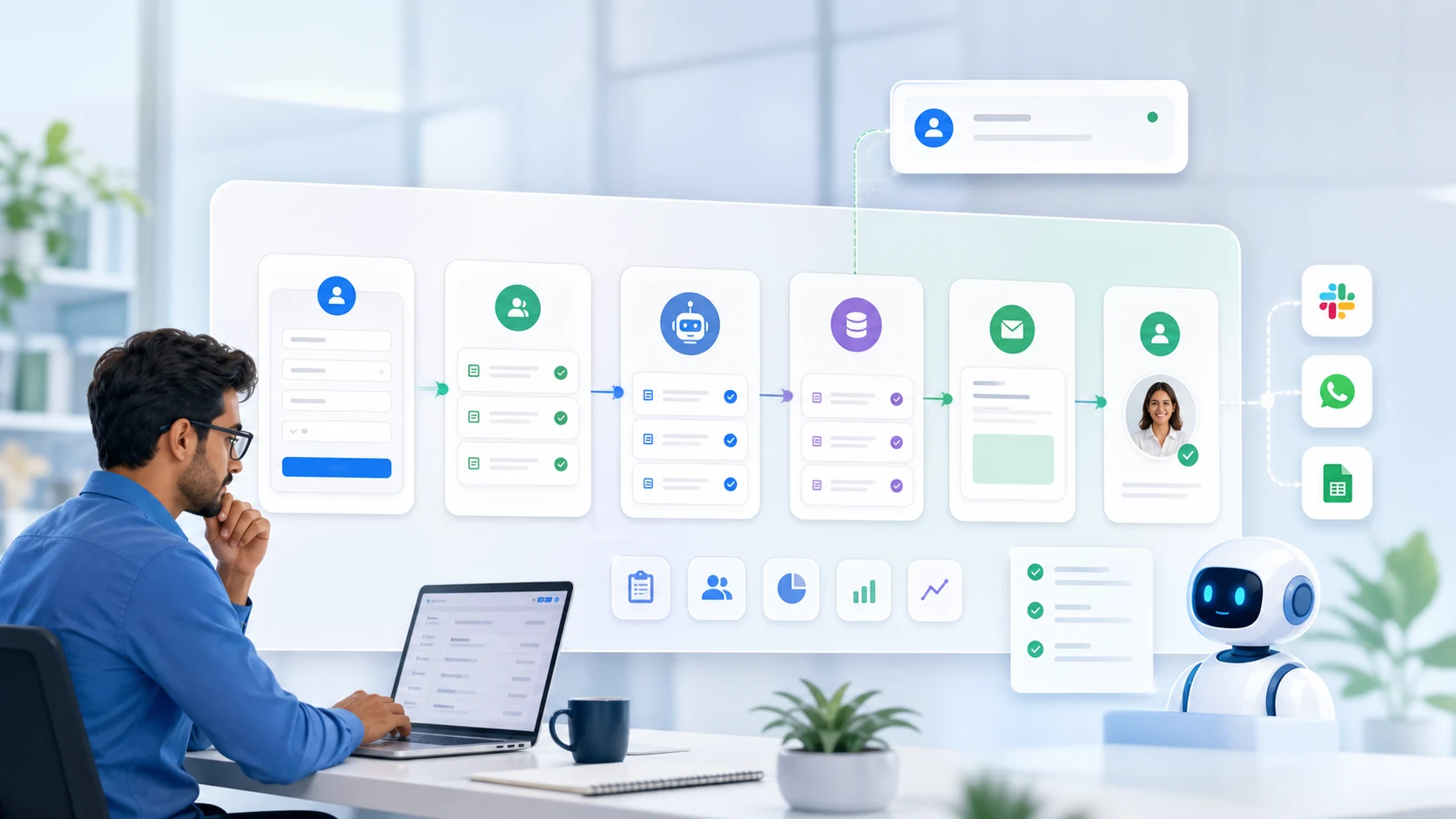
Small businesses are under more pressure than ever.
Customers expect fast replies. Leads need quick follow-ups. Invoices must be sent on time. Teams are buried in repetitive admin work. Owners are expected to manage sales, operations, marketing, finance, hiring, customer service, and growth, often with limited staff and tight budgets.
That is where AI automation for small businesses becomes a practical advantage.
AI automation is not just about using chatbots or trendy tools. It is about using artificial intelligence to remove repetitive work, connect business systems, reduce errors, and help your team focus on higher-value tasks.
For small businesses, this can mean faster customer responses, better lead management, fewer missed opportunities, smoother operations, and lower manual workload.
In this guide, we will break down what AI automation means, how it differs from traditional automation, and the most practical AI automation use cases that can save time, cut costs, and help small businesses scale faster.
What Is AI Automation for Small Businesses?
AI automation for small businesses means using artificial intelligence to complete business tasks with minimal manual effort.
These tasks can include answering customer questions, qualifying leads, updating a CRM, generating invoices, sending payment reminders, analyzing data, preparing reports, routing support tickets, or scheduling appointments.
Unlike basic automation, which follows fixed rules, AI automation can understand language, analyze patterns, make recommendations, and adapt based on data.
For example, a traditional automation may send the same follow-up email to every lead.
An AI-powered automation can read the lead’s message, understand their intent, score how urgent the inquiry is, draft a personalized reply, update your CRM, and notify the right team member for approval.
That is the real difference.
AI automation does not just move data from one place to another. It helps your business make smarter decisions and act faster.
AI Automation vs Traditional Business Automation
Traditional business automation is useful, but it has limits. It works best when the process is predictable and rule-based.
AI automation goes further because it can deal with language, context, documents, customer behavior, and unstructured data.
| Area | Traditional Automation | AI Automation |
| How it works | Follows fixed rules | Learns from data and context |
| Best for | Repetitive, predictable tasks | Dynamic workflows and decision support |
| Example | Send an invoice after form submission | Read order details, generate invoice, flag missing data, and send follow-up |
| Flexibility | Limited | Higher |
| Human role | Manual checking and corrections | Review, approval, and strategic decisions |
| Common tools | Workflow tools, RPA, scripts | AI agents, chatbots, ML models, NLP, RAG systems |
A simple way to think about it:
Traditional automation follows instructions. AI automation understands situations.
Both are valuable. In many small businesses, the best setup combines business process automation, AI agents, chatbots, integrations, and human approval.
Tools such as Microsoft Power Automate show how businesses can combine workflow automation, robotic process automation, AI processing, connectors, and monitoring into structured business systems.
Why AI Automation Matters for Small Businesses
Small businesses do not usually have unlimited teams, budgets, or time. Every repetitive task has a cost.
If your team spends hours copying data, replying to the same questions, chasing payments, updating spreadsheets, or preparing reports manually, that time is not being used for sales, customer relationships, product improvement, or growth.
AI automation helps small businesses in five major ways.
1. It saves time
AI can handle repetitive work such as customer replies, lead capture, CRM updates, appointment reminders, invoice follow-ups, document extraction, and weekly reporting.
Even saving a few hours per week per employee can create a major productivity gain for a small team.
2. It reduces operational costs
Hiring more people is not always possible. AI automation helps businesses handle more work without increasing headcount at the same rate.
This does not mean replacing your team. It means giving your team better systems so they can do more valuable work.
3. It improves customer experience
Customers do not want to wait hours for a basic response.
AI chatbots, WhatsApp automation, and support workflows can answer common questions instantly, collect details, route complex issues, and keep customers updated.
The WhatsApp Business Platform is especially useful for businesses that rely on messaging for sales, support, order updates, reminders, and customer care.
4. It reduces errors
Manual data entry creates mistakes. Missed follow-ups lose leads. Delayed invoices affect cash flow.
AI automation improves consistency by making sure the right steps happen at the right time.
5. It helps you scale
A small business cannot scale if every process depends on manual effort.
AI automation creates systems that can support more leads, more customers, more orders, and more internal work without creating chaos.
Practical AI Automation Use Cases for Small Businesses
The best AI automation use cases are usually not complicated. They are the everyday tasks that drain time, slow down response times, and create operational bottlenecks.
Here are the most practical use cases small businesses can start with.
1. AI Chatbots for Customer Support
Customer support is one of the easiest places to start with AI automation.
Most small businesses answer the same questions every day:
- What are your prices?
- What services do you offer?
- Where are you located?
- How do I book a call?
- What is the delivery timeline?
- Do you provide support?
- Can I get a quote?
An AI chatbot can answer these questions instantly on your website, WhatsApp, or other messaging platforms.
A good AI chatbot can also collect customer details, understand the query, suggest the next step, and escalate complex issues to a human team member.
Example
A service business receives 30 inquiries per day. Many ask the same basic questions. Instead of replying manually every time, an AI chatbot answers common queries, collects the customer’s requirement, and sends qualified leads to the sales team.
Time saved
The team spends less time answering repetitive questions and more time handling serious prospects.
2. WhatsApp Automation for Leads and Customer Communication
For many small businesses, especially in India, WhatsApp is not just a messaging app. It is a sales channel, support channel, reminder system, and customer relationship tool.
AI-powered WhatsApp automation can help with:
- Instant replies to customer inquiries
- Lead qualification
- Appointment booking
- Order confirmations
- Payment reminders
- Product recommendations
- Support ticket creation
- Follow-up messages
- Human handoff when needed
Example
A customer messages your business at 10:30 PM asking for service details. Instead of waiting until morning, an AI assistant replies instantly, asks qualifying questions, shares relevant information, and schedules a follow-up call.
Why it matters
Speed matters. The faster your business responds, the higher the chance of converting the lead.
3. Lead Qualification and Scoring
Not every lead is equal.
Some leads are ready to buy. Some are researching. Some do not fit your services. Some need urgent attention.
AI automation can analyze incoming leads based on:
- Message intent
- Budget range
- Urgency
- Service requirement
- Company size
- Location
- Engagement behavior
- Previous interactions
Then it can assign a lead score and notify your team.
Example
A software development company receives inquiries from website forms, WhatsApp, ads, and email. AI reads each inquiry, identifies the service needed, scores the lead, updates the CRM, and alerts the sales team when a high-intent lead arrives.
Time saved
Your team does not waste time manually reviewing every lead. They can focus first on the leads most likely to convert.
4. CRM Updates and Sales Pipeline Automation
Many small businesses lose leads because their CRM is not updated properly.
A lead comes in. Someone forgets to add it. A follow-up is missed. The prospect chooses another provider.
AI automation can prevent this.
It can:
- Capture leads from website forms
- Add them to your CRM
- Categorize them by service
- Create follow-up tasks
- Draft personalized replies
- Notify sales team members
- Update deal stages
- Prepare weekly pipeline reports
Example
A lead fills out a website form for app development. AI detects the service category, adds the lead to the CRM, assigns it to the right person, drafts a reply, and creates a follow-up reminder.
Business impact
No lead gets lost in inboxes, spreadsheets, or chat messages.
5. Automated Follow-Up Emails
Follow-up is where many small businesses lose revenue.
A prospect asks for information. Your team replies once. Then the lead goes cold because no one follows up.
AI automation can send smart follow-ups based on customer behavior.
It can:
- Send a thank-you email after form submission
- Follow up after a proposal
- Remind leads to book a call
- Re-engage inactive prospects
- Personalize messages based on service interest
- Notify your team when a prospect replies
Example
A lead downloads a brochure or asks for pricing. AI sends a personalized email, waits two days, follows up with a relevant case example, and alerts the sales team if the lead clicks or replies.
Time saved
Your team no longer has to manually track every follow-up.
6. Appointment Booking Automation
Manual scheduling wastes a surprising amount of time.
The usual process looks like this:
“Are you free tomorrow?”
“No, how about Friday?”
“What time works?”
“Can you send a calendar invite?”
AI automation can remove this back-and-forth.
It can:
- Share available slots
- Book meetings
- Send calendar invites
- Send reminders
- Reschedule appointments
- Collect pre-call details
- Notify the right team member
Example
A clinic, consultant, agency, or service provider can use AI automation to book appointments directly from website chat or WhatsApp.
Result
Fewer missed calls, fewer scheduling delays, and better customer experience.
7. Invoice Generation and Payment Reminders
Invoicing is repetitive, but it is critical.
Small businesses often spend hours creating invoices, checking payment status, and sending reminders.
AI automation can help with:
- Invoice creation
- Payment reminder emails
- Recurring billing
- Expense tracking
- Payment status updates
- Basic financial reports
- Flagging overdue accounts
For Indian businesses, finance automation can also support GST-related workflows when connected with accounting systems and proper compliance processes. Business owners can also follow official updates from the GST portal to stay aligned with tax requirements.
Example
A client approves a project. AI generates an invoice draft, sends it to the client after approval, tracks payment status, and reminds the client before the due date.
Business impact
Better cash flow and less admin work.
8. Document Processing and Data Extraction
Small businesses deal with many documents:
- Invoices
- Purchase orders
- Contracts
- Receipts
- Application forms
- Reports
- ID documents
- Customer forms
- Vendor documents
Manually reading and entering this data into spreadsheets or software is slow and error-prone.
AI-powered document processing can extract key information from documents and send it to the right system.
Example
A logistics business receives delivery documents and invoices by email. AI reads the attachments, extracts invoice number, vendor name, amount, due date, and order details, then updates the accounting or operations system.
Time saved
Hours of manual data entry can be reduced.
9. Inventory and Stock Alerts
Inventory mistakes can cost small businesses money.
Too much stock creates waste. Too little stock causes missed sales.
AI automation can help track inventory and predict when stock needs to be replenished.
It can:
- Monitor stock levels
- Send low-stock alerts
- Predict demand trends
- Trigger reorder workflows
- Identify slow-moving products
- Create inventory reports
Example
An ecommerce store sells fast-moving products. AI monitors sales velocity and alerts the owner before popular items run out.
Result
Fewer stockouts, better planning, and smoother operations.
10. Marketing Content and Campaign Automation
Small businesses need marketing, but creating content consistently is difficult.
AI can help with:
- Email campaign drafts
- Social media captions
- Blog outlines
- Product descriptions
- Ad copy variations
- Landing page copy
- Campaign reports
- Audience segmentation
- Content repurposing
This does not mean publishing AI content without review. The best approach is to let AI create the first draft, then have a human edit it for accuracy, brand voice, and strategy.
Example
A small ecommerce brand launches a new product. AI creates product descriptions, email copy, social posts, and ad variations. The marketing team reviews, improves, and publishes the final content.
Time saved
AI reduces the blank-page problem and speeds up campaign execution.
11. Customer Feedback and Sentiment Analysis
Customer feedback is valuable, but most small businesses do not have time to analyze it properly.
AI can review:
- Customer reviews
- Support messages
- Survey responses
- Social media comments
- Chat transcripts
- Complaint emails
Then it can identify patterns, common complaints, customer sentiment, and improvement opportunities.
Example
A restaurant collects reviews from Google, WhatsApp, and delivery platforms. AI groups feedback into categories such as food quality, delivery delay, staff behavior, pricing, and packaging.
Business impact
The owner gets clear insights instead of manually reading every review.
12. Weekly Reports and Business Dashboards
Many small businesses make decisions based on gut feeling because reporting takes too much time.
AI automation can generate weekly or monthly reports from your business data.
Reports can include:
- New leads
- Conversion rate
- Revenue
- Pending invoices
- Support tickets
- Customer complaints
- Campaign performance
- Inventory status
- Team productivity
Example
Every Monday morning, the business owner receives an AI-generated summary showing last week’s leads, sales, pending payments, support issues, and recommended actions.
Result
Better decisions without manual reporting.
13. HR and Employee Onboarding Automation
Small teams still need structured HR processes.
AI automation can support:
- Resume screening
- Interview scheduling
- Employee onboarding
- Document collection
- Internal FAQs
- Leave requests
- Training reminders
- Policy explanations
Example
A company hires a new employee. AI sends onboarding documents, collects required files, shares company policies, creates tool access requests, and schedules orientation.
Time saved
HR and founders spend less time on repetitive onboarding steps.
14. Internal Knowledge Base and RAG Assistants
Many businesses have useful information scattered across documents, PDFs, SOPs, emails, spreadsheets, and Notion pages.
A RAG knowledge base AI can help your team search and use that information.
RAG, or retrieval-augmented generation, allows an AI system to retrieve relevant information from a knowledge base before generating an answer.
For small businesses, this can power internal assistants that answer questions based on your own documents.
Example
A support team asks, “What is our refund policy for annual plans?” Instead of searching through folders, the AI assistant finds the relevant policy and gives a clear answer with source context.
Business impact
Faster internal support, fewer repeated questions, and better consistency.
15. AI Agents for Multi-Step Workflows
AI agents are one of the most powerful developments in business automation.
A chatbot usually answers questions. An AI agent can take action across systems.
An AI agent can:
- Read a customer message
- Understand the request
- Check CRM data
- Draft a reply
- Update a spreadsheet
- Create a task
- Send a notification
- Ask for human approval
- Complete the workflow
Example
A new lead arrives from a website form.
The AI agent checks the service requested, scores the lead, adds it to the CRM, drafts a personalized response, creates a follow-up task, and notifies the sales team.
The human team reviews and approves the final reply.
Why this matters
AI agents can connect multiple small tasks into one smart workflow. This is where small businesses start moving from basic automation to intelligent operations.
Best AI Automation Use Cases by Industry
Different businesses need different automation workflows.
Here are practical examples by industry.
Ecommerce Businesses
AI automation can help ecommerce businesses with product questions, abandoned cart follow-ups, order updates, inventory alerts, customer reviews, product recommendations, and support tickets.
Service Businesses
Local service providers can automate appointment booking, quote requests, customer follow-ups, reminders, review requests, and lead qualification.
Healthcare Clinics
Clinics can use AI automation for appointment scheduling, patient reminders, form collection, FAQs, follow-up messages, and document organization.
Real Estate Businesses
Real estate teams can automate buyer qualification, property recommendations, site visit scheduling, follow-ups, and CRM updates.
Agencies and Consultants
Agencies can automate lead intake, proposal reminders, reporting, client onboarding, meeting notes, and task creation.
Finance and Accounting Firms
Finance teams can automate document collection, invoice reminders, report generation, client FAQs, and compliance task tracking.
Education Businesses
Coaching centers and education companies can automate student inquiries, enrollment follow-ups, class reminders, fee reminders, and support questions.
What Should Small Businesses Automate First?
The best process to automate first is not always the most advanced one. It is usually the one that wastes the most time or causes the most missed opportunities.
Use this simple priority table.
| Task Type | Automation Priority |
| Repetitive tasks | High |
| Time-consuming admin work | High |
| Customer FAQs | High |
| Lead follow-ups | High |
| Invoice reminders | High |
| Manual data entry | High |
| Complex emotional conversations | Human-assisted |
| Legal, tax, or financial decisions | Human approval required |
| Strategic decisions | Human-led |
A good rule:
Automate the repetitive work. Keep humans in control of judgment, relationships, and final approvals.
How to Implement AI Automation in a Small Business
AI automation does not need to start with a massive transformation.
The best approach is simple: start small, prove value, and scale gradually.
Step 1: Identify repetitive work
List the tasks your team repeats every week.
Look for tasks such as:
- Answering the same questions
- Copying data between tools
- Sending follow-ups
- Updating spreadsheets
- Creating invoices
- Preparing reports
- Scheduling meetings
- Sorting customer inquiries
These are strong candidates for automation.
Step 2: Choose one high-impact workflow
Do not try to automate everything at once.
Start with one area, such as:
- Lead management
- Customer support
- Invoice reminders
- Appointment booking
- CRM updates
- Reporting
Pick the workflow that saves time or improves revenue fastest.
Step 3: Map the current process
Before building automation, understand the process.
Ask:
- Where does the task start?
- Who handles it?
- What tools are used?
- What information is needed?
- Where do errors happen?
- What should be automated?
- Where should humans approve?
This prevents you from automating a broken process.
Step 4: Connect your tools
AI automation becomes more powerful when it connects with your existing tools.
This may include:
- Website forms
- CRM
- Google Sheets
- Accounting software
- Payment tools
- Support desk
- Project management tools
- Internal databases
The goal is to reduce manual movement between systems.
Step 5: Keep human approval where needed
AI should not make every decision alone.
Use human approval for:
- Final sales replies
- Sensitive customer issues
- Refunds
- Financial approvals
- Legal or compliance matters
- High-value deals
- Anything that affects customer trust
This keeps automation safe and reliable.
Step 6: Measure results
Track simple metrics:
- Hours saved
- Response time reduced
- Leads followed up
- Missed inquiries reduced
- Invoices sent faster
- Support tickets resolved
- Errors reduced
- Revenue influenced
If the first automation works, expand to the next workflow.
Common Mistakes to Avoid
AI automation works best when implemented carefully. Avoid these common mistakes.
1. Automating without a clear goal
Do not automate just because AI is popular.
Start with a business problem.
For example:
- “We miss too many leads.”
- “Customer replies are too slow.”
- “Invoice follow-ups take too much time.”
- “Our team spends hours updating spreadsheets.”
Clear problems lead to better automation.
2. Choosing random tools
Many businesses sign up for multiple AI tools without a strategy. This creates more confusion.
Instead, choose tools based on your workflow, data, integrations, and team capability.
3. Ignoring data quality
AI needs good data.
If your customer records, product details, pricing, or documents are outdated, AI output will be unreliable.
Clean your data before automating important workflows.
4. No human handoff
AI should know when to stop and involve a human.
For example, a chatbot should handle basic questions but escalate angry customers, complex cases, or high-value leads.
5. No performance tracking
If you do not measure results, you will not know whether automation is working.
Track time saved, lead response time, conversion rate, customer satisfaction, and error reduction.
Is AI Automation Expensive for Small Businesses?
AI automation does not have to be expensive, but the cost depends on what you want to build.
A simple chatbot or form automation costs less than a custom AI agent that connects your website, CRM, email, WhatsApp, database, and internal dashboard.
The cost depends on:
- Number of workflows
- Number of integrations
- AI model usage
- Custom development
- Data preparation
- Security requirements
- Ongoing support
- Human approval logic
- Reporting needs
For many small businesses, the best approach is to start with one automation that has clear ROI.
For example:
- Automate lead follow-up
- Automate customer FAQs
- Automate invoice reminders
- Automate appointment booking
- Automate weekly reports
Once that saves time or improves conversions, expand gradually.
Think of AI automation as a system that compounds. One workflow saves time. Five connected workflows can change how your business operates.
AI Automation for Small Businesses in India
For Indian small businesses, AI automation has some unique opportunities.
India has a fast-growing digital business ecosystem, and platforms such as the official IndiaAI portal reflect the country’s growing focus on AI development, learning, startups, research, and government initiatives.
Small businesses in India can benefit from AI automation in areas such as:
- WhatsApp customer support
- Regional language communication
- GST invoice workflows
- UPI payment reminders
- Ecommerce support
- Lead generation
- Inventory management
- Customer follow-ups
- Appointment booking
- Local service automation
A salon in Ahmedabad, a clinic in Pune, a real estate business in Noida, an ecommerce brand in Jaipur, or a software agency in Bengaluru can all use AI automation differently.
The key is not to copy a generic automation template. The key is to build workflows around how the business actually operates.
The Future of AI Automation for Small Businesses
AI automation is moving beyond simple chatbots.
The future will be shaped by AI agents, voice assistants, connected workflows, predictive dashboards, and knowledge-based AI systems.
Small businesses will increasingly use AI to:
- Respond to leads instantly
- Personalize customer journeys
- Automate back-office tasks
- Predict demand
- Generate reports
- Support employees
- Manage customer communication
- Connect tools and data
- Reduce manual decision fatigue
The businesses that adopt AI automation early will build an operational advantage.
They will respond faster, operate leaner, serve customers better, and scale more efficiently than competitors still relying on manual processes.
Final Thoughts: Start Small, Automate Smart, Scale Faster
AI automation for small businesses is not about replacing people. It is about removing repetitive work so people can focus on strategy, relationships, creativity, and growth.
The best way to start is simple.
Find one workflow that wastes time. Automate it. Measure the result. Then expand.
Start with customer support, lead management, invoice reminders, appointment booking, or weekly reporting. These are practical, high-impact areas where AI automation can quickly show value.
Small businesses do not need complex enterprise systems to benefit from AI. They need focused automation that solves real problems.
That is where TitanCodes can help.
TitanCodes builds practical AI automation systems for small businesses and growing companies, including AI agents, AI chatbots, RAG knowledge base AI, CRM workflows, custom software, SaaS platforms, and cloud-ready business systems.
If your business is spending too much time on manual tasks, missed follow-ups, disconnected tools, or repetitive customer communication, TitanCodes can help you turn those workflows into smarter, scalable automation systems.
Start with one process. Build the right system. Save time. Cut costs. Scale faster.
FAQs About AI Automation for Small Businesses
-
What is AI automation for small businesses?
AI automation for small businesses is the use of artificial intelligence to automate repetitive tasks, improve workflows, respond to customers, manage leads, process documents, generate reports, and support business decisions with less manual effort.
-
What are examples of AI automation?
Common examples include AI chatbots, WhatsApp automation, lead scoring, CRM updates, invoice reminders, appointment booking, document processing, customer feedback analysis, email follow-ups, inventory alerts, and AI-generated business reports.
-
Is AI automation only for large companies?
No. AI automation is now accessible to small businesses through custom workflows, APIs, chatbots, automation platforms, and AI agents. Small businesses can start with one simple workflow and scale gradually.
-
Will AI automation replace employees?
AI automation should not be used simply to replace employees. Its best use is to reduce repetitive work so employees can focus on higher-value tasks such as sales, customer relationships, strategy, and problem-solving.
-
What should a small business automate first?
Start with repetitive, time-consuming, and error-prone tasks. Good first choices include customer FAQs, lead follow-ups, appointment booking, CRM updates, invoice reminders, and weekly reporting.
-
How much does AI automation cost?
The cost depends on workflow complexity, integrations, AI usage, custom development, and support. Small businesses should start with one high-impact workflow and expand after measuring ROI.
-
Can AI automation work with existing tools?
Yes. AI automation can connect with websites, forms, CRMs, spreadsheets, email platforms, WhatsApp, accounting tools, support systems, databases, and project management tools when suitable integrations or APIs are available.
-
Why should small businesses use AI automation?
Small businesses should use AI automation to save time, reduce manual errors, improve customer response speed, manage leads better, lower operational costs, and scale without adding unnecessary complexity.