
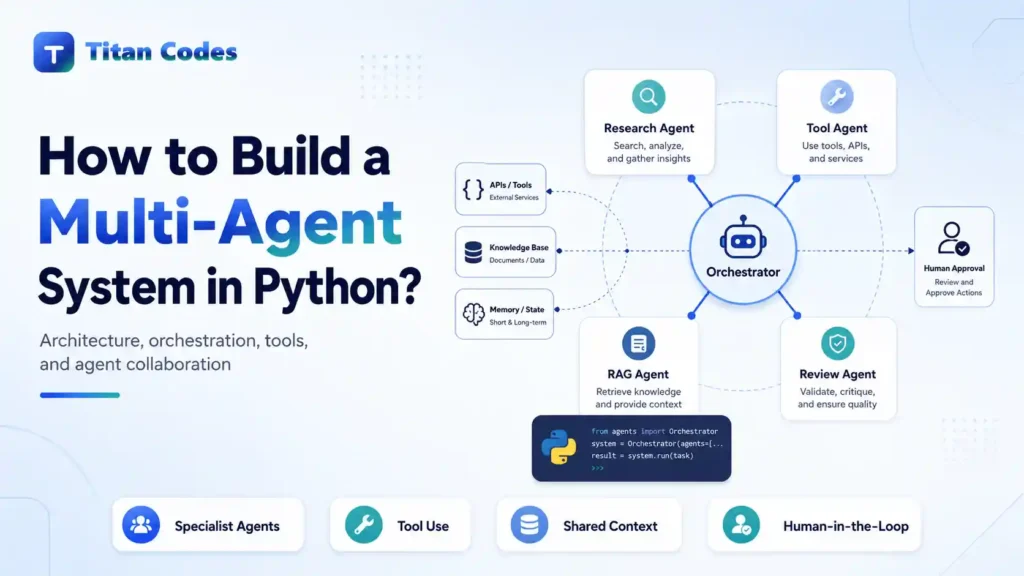
A single AI agent can handle surprisingly complex tasks. It can interpret instructions, call tools, analyze information, and generate a response. Problems start when one agent becomes responsible for research, validation, decision-making, tool execution, error handling, and final review at the same time.
Multi-agent systems address this by separating responsibilities.
Instead of asking one large prompt to do everything, multiple specialized agents work on defined parts of a workflow while a coordinator controls how information moves between them.
Interest in this architecture is growing quickly. Gartner expects 33% of enterprise software applications to include agentic AI by 2028, compared with less than 1% in 2024. However, adoption is still early. Deloitte’s 2026 survey of 501 US business and technology leaders found that only 15% had scaled orchestrated, cross-functional multi-agent adoption. Data readiness, governance, and integration complexity remain major barriers.
In this tutorial, we will look at how to build a multi-agent system in Python using a real backlink intelligence workflow. More importantly, we will separate the jobs that genuinely benefit from AI agents from the work that ordinary Python can perform more reliably.
What Is a Multi-Agent System in Python?
A multi-agent system in Python is an application in which multiple specialized AI agents collaborate to complete a larger workflow. Each agent has a defined responsibility, while an orchestrator coordinates tasks, tools, context, decisions, and final outputs.
A typical architecture looks like this:
User Request → Coordinator → Specialist Agents → Validation → Final Output
For example, one agent might classify a request, another analyze technical evidence, and another evaluate possible actions. The coordinator decides which specialists need to run and what happens with their results.
Modern agent frameworks support several orchestration patterns. The current OpenAI Agents SDK, for example, supports both manager-style systems where a central agent invokes specialists as tools and handoffs where control passes to another agent.
The architecture is more important than the framework.
When Should You Use Multiple AI Agents?
Adding agents does not automatically make an AI application better.
A multi-agent architecture is most useful when a problem can be divided into responsibilities that genuinely require different reasoning, tools, permissions, or context.
| Single Agent | Multi-Agent System |
| Simpler architecture | More components to coordinate |
| Usually fewer model calls | Usually more model calls |
| Easier for focused tasks | Better separation of complex responsibilities |
| Lower orchestration overhead | Supports specialist roles and routing |
| Good when one prompt works reliably | Useful for decomposable workflows |
Consider multiple agents when different specialists need different tools, when independent analysis reduces risk, or when conditional routing is important.
Stay with one agent when a single well-designed workflow already solves the problem reliably.
This distinction matters commercially too. Multi-agent orchestration introduces additional model calls, state handling, evaluation, observability, permissions, and failure paths. Our guide to AI agent development cost explains why agent complexity should follow the business case rather than being added simply because the architecture sounds advanced.
What We Are Building: A Backlink Intelligence Multi-Agent Workflow
For the practical example, we will use Backlink Intelligence, an open-source Python project created by Titan Codes founder Alok Kumar.
View the Backlink Intelligence GitHub repository
There is also a public implementation available through:
Backlink Intelligence on AlokBlog
The existing Python project already supports five distinct workflows:
Qualify → Audit → Place → Monitor → Analyze
It can evaluate page relevance, backlink placement, link attributes, indexability evidence, contextual placement opportunities, outbound-link patterns, anchor distribution, and backlink changes over time. Importantly, its core analysis is deterministic and does not depend on a paid AI API.
That makes it a useful multi-agent example because we do not need an LLM to recreate work Python already performs reliably.
For this tutorial, we will build an agent layer around three existing capabilities:
| Component | Responsibility |
| Coordinator Agent | Controls the workflow and makes routing decisions |
| Qualification Agent | Evaluates initial backlink prospect evidence |
| Audit Agent | Reviews evidence about an existing backlink |
| Placement Agent | Evaluates contextual placement opportunities |
The workflow becomes:
User Request
↓
Coordinator Agent
↓
Qualification Agent
↓
Low Priority? → Stop
↓
Audit Agent
↓
Existing Link? → Review
↓
No Existing Link
↓
Placement Agent
↓
Final Structured Decision
The important idea is not the backlink use case itself. The same architecture can be applied to support operations, software analysis, sales workflows, document processing, or internal business automation.
What Should Be an Agent and What Should Stay Deterministic?
This is one of the most important decisions in multi-agent development.
If Python can calculate something reliably, an LLM normally should not be responsible for calculating it again.
Consider this split:
| Deterministic Python | Agentic Reasoning |
| Check HTTP status | Interpret combined evidence |
| Find a link in HTML | Resolve ambiguous cases |
| Read nofollow or sponsored attributes | Explain why evidence matters |
| Extract canonical URLs | Select the next workflow |
| Count outbound links | Synthesize multiple findings |
| Validate URLs | Decide when human review is needed |
| Parse HTML | Produce a business-friendly explanation |
The Backlink Intelligence audit function already fetches source and target pages, identifies backlinks, analyzes relevance, checks outbound evidence, evaluates indexability, and generates explicit review signals.
Its qualification workflow similarly calculates evidence such as page relevance, placement potential, outbound-link density, review flags, and confidence before returning prioritize, manual_review, or low_priority.
There is little value in asking an LLM to reproduce those calculations.
A better principle is:
Use deterministic software for facts that can be calculated. Use agents for interpretation, routing, synthesis, and decisions that benefit from language reasoning.
That principle also applies to production AI agent development. Giving agents narrow, approved tools is generally easier to test and govern than allowing one agent unrestricted access to every system.
Core Components of the Python Multi-Agent System
Before writing the orchestration code, define the responsibilities clearly.
Agents
Each agent should have:
- A specific role
- Clear instructions
- Restricted tools
- Defined input
- Defined output
- Explicit boundaries
“SEO Agent” is too vague.
“Qualification Agent that interprets prospect evidence and decides whether additional analysis is justified” is much easier to reason about and test.
Tools
Tools perform work on behalf of agents.
For our example, tools expose existing Python functions instead of embedding crawling and backlink logic inside prompts.
The current OpenAI Agents SDK can wrap Python functions as agent tools and derive tool schemas from Python type information. It also supports Pydantic-backed structured data.
Coordinator
The coordinator decides:
- Which specialist should run
- What information it receives
- Whether another analysis step is justified
- When the workflow should stop
- What should be returned to the user
Structured Output
Free-form prose is convenient for humans but fragile when software needs to consume it.
Instead of:
This seems like a reasonably good opportunity, although someone should probably review it.
return something like:
{
“decision”: “manual_review”,
“human_review_required”: true,
“evidence”: [
“High topical relevance”,
“Editorial placement available”
]
}
That output can be validated, stored, filtered, or passed to another application.
Step-by-Step: Build the Multi-Agent System in Python
For this implementation, we will use the OpenAI Agents SDK as a lightweight orchestration layer while keeping the underlying backlink analysis in the existing Python package.
The SDK supports agents, tools, structured outputs, guardrails, agent-to-agent delegation, and tracing.
Step 1: Install the Dependencies
After cloning the Backlink Intelligence repository and entering its directory:
python -m pip install
pip install openai-agents
Set the API key through an environment variable rather than hard-coding it into the application.
The existing Backlink Intelligence package requires Python 3.11 or newer and can still run its deterministic analysis independently of the agent layer.
Step 2: Turn Existing Python Functions Into Tools
We can now expose selected capabilities to specialist agents.
import json
from agents.decorators import tool
from backlink_intelligence.audit import audit_backlink
from backlink_intelligence.qualify import qualify_prospect
from backlink_intelligence.analysis import analyze_placement
@tool
def qualify_backlink(
source_url: str,
target_url: str,
preferred_anchor: str,
) -> str:
“””Evaluate a backlink prospect using deterministic page evidence.”””
result = qualify_prospect(
source_url,
target_url,
preferred_anchor,
)
return json.dumps(result)
@tool
def audit_backlink_tool(
source_url: str,
target_url: str,
) -> str:
“””Audit whether a backlink exists and return its evidence.”””
result = audit_backlink(
source_url,
target_url,
)
return json.dumps(result.to_dict())
@tool
def placement_tool(
source_url: str,
target_url: str,
preferred_anchor: str,
) -> str:
“””Find relevant contextual backlink placement opportunities.”””
result = analyze_placement(
source_url,
target_url,
preferred_anchor,
)
payload = {
“status”: result.status,
“source_indexable”: result.source.is_indexable,
“target_indexable”: result.target.is_indexable,
“opportunities”: [
item.to_dict()
for item in result.opportunities
],
“warnings”: result.analysis_warnings,
}
return json.dumps(payload)
Notice what the agents are not doing.
They are not fetching HTML, calculating similarity, parsing canonical tags, checking link attributes, or ranking paragraphs from scratch.
The Python application remains responsible for those operations.
Step 3: Create the Specialist Agents
Next, give each agent one clear responsibility.
from agents import Agent
qualification_agent = Agent(
name=”Qualification Agent”,
instructions=(
“Assess backlink prospect evidence. “
“Always call qualify_backlink. “
“Do not invent SEO metrics or ranking claims. “
“Explain whether the opportunity should be prioritized, “
“reviewed manually, or treated as low priority.”
),
tools=[qualify_backlink],
)
audit_agent = Agent(
name=”Audit Agent”,
instructions=(
“Review evidence about an existing backlink. “
“Always use audit_backlink_tool. “
“Base conclusions only on returned evidence. “
“Highlight placement, relevance, attributes, “
“indexability, concerns, and confidence.”
),
tools=[audit_backlink_tool],
)
placement_agent = Agent(
name=”Placement Agent”,
instructions=(
“Evaluate contextual link placement opportunities. “
“Always call placement_tool. “
“Do not claim that a placement guarantees rankings. “
“Prefer minimal editorial intervention and flag “
“anything that requires human review.”
),
tools=[placement_tool],
)
This separation gives each specialist a smaller instruction set and a narrower tool surface.
That makes failures easier to investigate.
Step 4: Define a Structured Final Decision
The final result should be predictable enough for an application to consume.
from typing import Literal
from pydantic import BaseModel
class WorkflowDecision(BaseModel):
decision: Literal[
“prioritize”,
“manual_review”,
“low_priority”,
“no_suitable_placement”,
]
summary: str
evidence: list[str]
human_review_required: bool
Pydantic gives us a schema that limits the possible decision values and ensures the expected fields are returned.
Structured output becomes increasingly valuable as multi-agent workflows grow because agent output often becomes input for software rather than just text shown to a user.
Step 5: Create the Coordinator Agent
Now connect the specialists.
coordinator = Agent(
name=”Backlink Intelligence Coordinator”,
instructions=(
“Manage backlink analysis using the specialist agents. “
“Always start with the Qualification Agent. “
“If the prospect is clearly low priority, stop. “
“Otherwise use the Audit Agent to determine whether “
“an existing backlink is present and evaluate it. “
“If no backlink exists and the prospect remains relevant, “
“use the Placement Agent. “
“Never invent metrics, rankings, penalties, or evidence. “
“Return a final decision based only on specialist results. “
“Require human review before any publishing or outreach.”
),
tools=[
qualification_agent.as_tool(
tool_name=”qualification_specialist”,
tool_description=”Evaluates initial backlink prospect evidence.”,
),
audit_agent.as_tool(
tool_name=”audit_specialist”,
tool_description=”Audits an existing backlink and its evidence.”,
),
placement_agent.as_tool(
tool_name=”placement_specialist”,
tool_description=”Finds contextual placement opportunities.”,
),
],
output_type=WorkflowDecision,
)
This uses a manager-style multi-agent architecture.
The coordinator stays responsible for the workflow while specialist agents perform bounded analysis. The Agents SDK documentation recommends this pattern when one central agent should own the final answer while calling specialists for specific subtasks.
Step 6: Run the Multi-Agent Workflow
Now provide a request to the coordinator.
import asyncio
from agents import Runner
async def main():
request = “””
Evaluate this backlink opportunity.
Source URL: https://publisher.example/article
Target URL: https://brand.example/ai-agent-development
Preferred anchor: AI agent development
“””
result = await Runner.run(
coordinator,
request,
)
print(result.final_output)
if __name__ == “__main__”:
asyncio.run(main())
A structured result might look conceptually like this:
{
“decision”: “manual_review”,
“summary”: “The pages are topically aligned and a contextual placement exists, but editorial approval is required.”,
“evidence”: [
“Source page is indexable”,
“Topical relevance is high”,
“Contextual placement opportunity found”,
“Suggested placement requires editorial review”
],
“human_review_required”: true
}
The agent does not automatically modify a publisher’s page or send outreach.
That decision remains with a human.
Pass Only the Context Each Agent Needs
One common multi-agent mistake is giving every specialist the complete history of everything every previous agent has done.
That creates unnecessary context.
A better architecture passes only the evidence relevant to the next decision:
Qualification Evidence
↓
Coordinator
↓
Audit Evidence
↓
Coordinator
↓
Placement Evidence
↓
Final Decision
This has several advantages:
- Lower token usage
- Less irrelevant context
- Easier debugging
- Clearer responsibility boundaries
- Lower risk of conflicting instructions
In larger production systems, the same principle applies to database records, CRM data, documents, API responses, and user permissions.
Add Guardrails, Error Handling, and Human Review
A demo can fail and simply be restarted. Production software needs defined failure behavior.
A multi-agent system should answer questions such as:
What happens if a tool times out?
Retry a controlled number of times or return a recoverable failure.
What happens if an agent returns malformed data?
Reject it through schema validation instead of silently accepting it.
Can agents call every available tool?
They should not. Give each agent only the permissions required for its responsibility.
Can an agent perform a consequential action automatically?
Only when the risk and business rules justify it.
The current Agents SDK supports tool-level approval requirements and human-in-the-loop workflows for actions that should pause before execution.
This is consistent with the broader Titan Codes approach to AI agent development, where permissions, approved tools, fallback paths, and human approval are part of the system design rather than prompt-only instructions.
How to Test a Multi-Agent System
Testing should happen at several layers.
Test the deterministic tools
The underlying Python functions should return known results for controlled inputs.
Backlink Intelligence already includes offline tests for HTML extraction, relevance, link analysis, placement ranking, monitoring, URL safety, and CLI behavior.
Test each agent
Give a specialist known evidence and verify that it follows its instructions.
For example:
When the source is not indexable and relevance is low, does the Qualification Agent still recommend prioritizing it?
If so, the agent or its boundaries need improvement.
Test routing
Workflow behavior matters just as much as individual outputs.
Examples:
Low-priority prospect
→ Should stop after qualification
Relevant prospect with existing backlink
→ Should run audit
Relevant prospect without backlink
→ Should evaluate placement
Agent testing should therefore measure both what agents say and which actions the system takes.
Multi-Agent Systems Add Cost and Latency
Every additional agent can introduce another model call, more tokens, more tool executions, and another possible failure point.
Monitor:
- Model calls per completed workflow
- Input and output tokens
- Tool calls
- Retries
- Workflow duration
- Failure rate
- Human-review rate
- Cost per successful task
Agent count is not a measure of system quality.
Deloitte’s 2026 research is a useful reminder that scaling multi-agent systems is primarily an operational problem, not just a model problem. Among surveyed organizations already involved with agentic AI, 72% cited lack of unified accessible data, 70% cited trust and governance challenges, and 67% cited integration cost and complexity.
For workflows that connect AI to business applications, a reliable API development and integration layer is therefore as important as the agent prompts themselves. Titan Codes plans integrations around authentication, validation, data mapping, retries, error handling, logging, and documentation.
How Could This Multi-Agent Architecture Expand?
Once the initial system is reliable, additional specialists could be justified.
A Monitoring Agent could interpret changes detected by the existing backlink monitor and decide which changes need attention.
A Portfolio Analysis Agent could summarize anchor, destination, and placement distributions.
A Reporting Agent could convert validated evidence into an SEO review report.
The important principle is to add an agent only when its responsibility is meaningfully different.
If a new capability is simply another deterministic calculation, add another Python function instead.
Plain Python vs LangGraph vs CrewAI vs OpenAI Agents SDK
There is no requirement to use one specific framework to build a multi-agent system.
| Approach | Best Fit |
| Plain Python | Small workflows where you want complete orchestration control |
| LangGraph | Stateful workflows with branches, loops, checkpoints, and complex control |
| CrewAI | Role-oriented teams where tasks map naturally to specialized agents |
| OpenAI Agents SDK | OpenAI-first systems that need agents, tools, handoffs, guardrails, and tracing |
Titan Codes has a detailed comparison of AI agent frameworks covering LangGraph, CrewAI, OpenAI Agents SDK, and other production considerations.
Choose the framework after understanding the workflow.
Do not design the business process around whichever agent framework happens to be popular.
Common Multi-Agent System Mistakes
Several mistakes repeatedly make agent systems harder to control:
- Creating an agent for every function
- Giving agents overlapping responsibilities
- Using an LLM for deterministic calculations
- Passing the full context to every specialist
- Allowing unlimited loops
- Using free-form output where structured data is required
- Giving every agent access to every tool
- Ignoring tool errors and timeouts
- Skipping human approval for consequential actions
- Measuring the number of agents instead of workflow quality
- Deploying without logs, tracing, or evaluation
The goal is not maximum autonomy.
The goal is reliable completion of a useful workflow.
Moving a Multi-Agent Demo Into Production
The Python code above explains the orchestration pattern, but a production multi-agent system requires considerably more surrounding engineering.
Depending on the use case, that can include authentication, persistent workflow state, queues, secret management, rate limits, API permissions, databases, observability, tracing, evaluation datasets, audit logs, human approval, monitoring, and recovery behavior.
Deployment architecture also matters. AI workflows frequently depend on APIs, background tasks, storage, databases, and external services that can fail independently.
Titan Codes’ cloud services cover deployment, databases, monitoring, logs, backups, scaling, and infrastructure planning for AI systems and other digital products.
The same principle applies throughout the system:
Use AI where reasoning creates value, and use conventional software engineering everywhere reliability can be made deterministic.
Frequently Asked Questions About Multi-Agent Systems in Python
Can You Build a Multi-Agent System in Python Without LangChain or CrewAI?
Yes. Multi-agent systems can be built with standard Python and model APIs by implementing your own routing, state, tool execution, validation, and agent coordination. Frameworks reduce the amount of orchestration infrastructure you need to write, but they are not what makes a system multi-agent.
What Does the Coordinator Do in a Multi-Agent System?
The coordinator manages workflow execution. It decides which specialist agent should run, what context should be passed, whether another step is required, and when enough evidence exists to return the final result.
Should Every Tool in a Multi-Agent System Use AI?
No. Reliable operations such as parsing data, checking statuses, querying databases, validating input, performing calculations, and enforcing permissions are often better implemented with deterministic software. Agents should be introduced where reasoning or interpretation improves the workflow.
Final Thoughts
Building multiple AI agents in Python is relatively straightforward. Building a multi-agent system that remains reliable is much harder.
The critical decisions are architectural: which responsibilities genuinely require agents, which operations should stay deterministic, what tools each agent can access, how context moves through the workflow, how outputs are validated, and what happens when something fails.
The Backlink Intelligence example shows a practical pattern for solving that problem. Keep reliable Python logic responsible for observable evidence, then add specialized agents where interpretation and orchestration create additional value.
For businesses planning a similar tool-connected workflow, Titan Codes can help with AI agent development, API development and integration, and production deployment architecture built around controlled tools, human review, testing, and maintainability.