
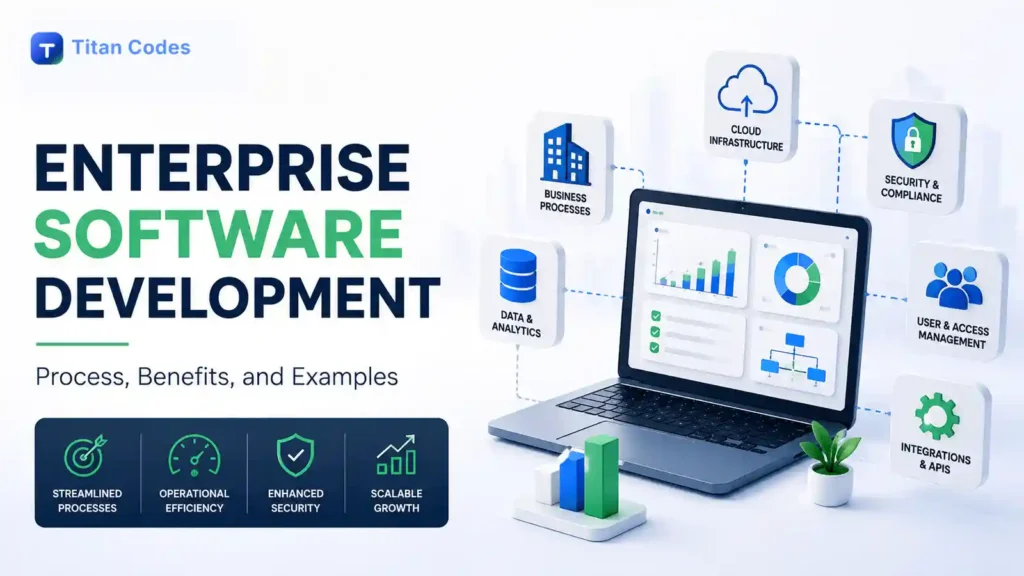
Enterprise software often sits at the center of how a business operates. It can connect finance, sales, customer service, inventory, employees, reporting, approvals, and other workflows that would otherwise be spread across disconnected tools.
As organizations grow, those connections become increasingly important. A system built for one small team may struggle when hundreds of users, multiple departments, large datasets, third-party integrations, and complex permissions are added.
That is where enterprise software development comes in.
Enterprise software development is the process of designing, building, integrating, deploying, and maintaining software that supports complex business operations across teams, departments, locations, or large user groups. Unlike simple applications built around one narrow task, enterprise systems usually need stronger architecture, security, integrations, scalability, data management, and long-term maintainability.
What Is Enterprise Software Development?
Enterprise software development focuses on applications that support business-critical processes at organizational scale.
According to IBM, enterprise applications are large-scale software solutions designed to automate and streamline organizational processes while improving productivity, efficiency, and collaboration across departments.
These systems are often built around multiple user roles, data sources, business rules, and integrations.
For example, an enterprise platform may need to:
- Give sales teams access to customer information
- Connect orders with inventory
- Send financial data to an ERP
- Apply different permissions for employees and managers
- Generate reports for leadership
- Automate approvals between departments
- Exchange data with third-party platforms
- Maintain audit histories for important actions
Enterprise software can be purchased as an existing platform, customized around business requirements, or developed from the ground up.
Businesses usually consider custom software development when standard platforms cannot support the workflows, integrations, ownership requirements, or flexibility they need.
How Is Enterprise Software Different From Regular Software?
The difference is not simply company size.
Enterprise software is generally designed around greater operational complexity.
| Area | Standard Software | Enterprise Software |
| Users | Individuals or smaller teams | Multiple teams, departments, or locations |
| Permissions | Basic access levels | Detailed role-based access |
| Data | Limited or isolated datasets | Large or connected business datasets |
| Integrations | Few integrations | Multiple internal and external systems |
| Workflows | Relatively simple | Multi-step business processes |
| Security | Standard requirements | Stronger organizational controls |
| Scalability | Depends on product | Planned around business growth |
| Reporting | Basic analytics | Operational and executive reporting |
| Maintenance | Feature-focused | Long-term business continuity |
A consumer application, for example, may allow a user to create an account and manage personal information.
An enterprise customer platform could require customers, agents, account managers, finance teams, and administrators to see different data and perform different actions while all working with the same underlying system.
That added complexity affects architecture from the beginning.
Common Types of Enterprise Software
Enterprise software covers a broad range of business functions.
Enterprise Resource Planning Systems
ERP software brings core functions such as finance, procurement, operations, supply chain, and human resources into a connected environment.
Customer Relationship Management Systems
CRM platforms organize customer information, sales pipelines, communications, follow-ups, and account activity.
A business may choose custom CRM development when a standard CRM cannot accurately support its sales process, data model, or operational workflow.
Business Intelligence and Reporting Platforms
These systems collect and organize data from different business sources to provide dashboards, reports, and performance insights.
Workflow and Operations Platforms
Custom workflow systems can coordinate approvals, tasks, documents, status changes, notifications, and operational processes across teams.
Customer and Employee Portals
Portals give customers, vendors, employees, or partners controlled access to information, documents, payments, requests, support, or other services.
Supply Chain and Inventory Systems
Enterprise systems can connect purchasing, inventory, warehouses, suppliers, fulfillment, and order information across different locations.
What Is the Enterprise Software Development Process?
Enterprise development rarely begins with coding.
The process should first establish what the organization needs, which systems already exist, and how users and data move through the business.
A practical enterprise software development lifecycle typically includes the following stages.
1. Discovery and Requirements
The development team identifies:
- Business objectives
- User groups
- Existing workflows
- Bottlenecks
- Data requirements
- Integrations
- Security needs
- Reporting requirements
- Technical dependencies
Enterprise projects often involve multiple stakeholders, so requirements need to be prioritized instead of treating every request as equally important.
2. System Architecture
Once the problem is understood, the team plans how the system will work technically.
Architecture may cover databases, application layers, APIs, authentication, permissions, cloud infrastructure, integrations, logging, and deployment.
The goal is not to build the most complicated architecture possible. It is to create a foundation appropriate for the expected workload and future requirements.
3. UI and UX Design
Enterprise interfaces need to make complex operations understandable.
Design may include dashboards, tables, filters, forms, approval screens, reports, account areas, and administration tools.
The best enterprise interfaces help users complete frequent tasks with fewer unnecessary steps.
4. Development and Integration
Frontend interfaces, backend services, databases, APIs, authentication, and business logic are developed and connected.
Integration deserves particular attention because enterprise applications rarely operate alone.
IBM defines enterprise application integration as connecting disparate applications and systems, commonly through APIs and middleware, to reduce data silos and streamline processes.
Businesses building connected platforms can use API development and integration to link CRMs, payment systems, databases, analytics tools, ERP systems, and other business applications.
5. Testing and Quality Assurance
Testing should validate more than whether individual buttons work.
Enterprise QA may include:
- Functional testing
- Integration testing
- Role and permission testing
- Data validation
- Regression testing
- Performance testing
- Browser and device testing
- Security validation
- Failure and recovery scenarios
Important workflows should also be tested using realistic data and user roles.
6. Deployment and Ongoing Improvement
Enterprise software needs a controlled release process.
Deployment can include infrastructure configuration, database migration, monitoring, backups, user access, documentation, and production validation.
The Titan Codes development process follows connected stages from strategy and architecture through development, QA, deployment, and launch support so technical and business decisions remain aligned throughout the build.
Key Features of Enterprise Software
Enterprise applications vary considerably, but several capabilities are common.
Role-Based Access
Different users should see only the information and actions appropriate to their responsibilities.
Integrations and APIs
Enterprise systems often need to exchange data with CRMs, ERP platforms, payments, analytics tools, email systems, AI services, and existing databases.
Workflow Automation
Repeated tasks such as approvals, notifications, record updates, assignments, and reporting can be automated.
Reporting and Data Visibility
Dashboards and reports give teams a clearer view of operations without manually combining information from different systems.
Scalability
The system should have a realistic path for supporting additional users, transactions, data, modules, and integrations.
Security and Auditability
Enterprise software may handle customer, financial, employee, or proprietary business information.
NIST’s Secure Software Development Framework recommends integrating security practices throughout the software development lifecycle rather than addressing security only after development is complete.
Benefits of Custom Enterprise Software Development
Custom enterprise software can make sense when existing tools no longer match how the organization actually operates.
Better Alignment With Business Workflows
Instead of changing important processes to fit generic software, the system can reflect the organization’s actual roles, rules, approvals, and data.
Fewer Disconnected Systems
Integrations can bring information from different tools into more consistent workflows and reduce repeated data entry.
Greater Automation
Routine activities can be handled automatically based on predefined business logic.
Better Operational Visibility
Centralized dashboards and reporting can make it easier to understand work status, customer activity, bottlenecks, and performance.
Greater Control
Custom development can provide businesses with clearer control over code, data structures, integrations, infrastructure, and the future product roadmap.
Ability to Evolve
New modules, workflows, integrations, and automation can be added as business requirements change.
This adaptability is particularly useful for complex projects. Our guide to Adaptive Software Development explains how iterative planning and feedback can help teams respond when requirements become clearer during development.
Common Challenges in Enterprise Software Development
Enterprise software also introduces risks that need to be managed carefully.
Integration With Existing Systems
Older software may use outdated APIs, unusual data structures, or limited integration options.
Data Migration
Moving years of operational data can involve duplicates, missing fields, inconsistent formats, and validation requirements.
Security and Permissions
More users and integrations create more access decisions that need to be controlled.
Scope Growth
Enterprise projects involve many stakeholders, and each department may have its own priorities. Without clear prioritization, scope can expand quickly.
User Adoption
Even technically strong software can fail if employees find it difficult to use or continue relying on old processes.
Cloud Cost and Infrastructure Complexity
Cloud infrastructure can improve scalability, but it also needs cost discipline.
The 2026 Flexera State of the Cloud Report found that 85% of respondents identified managing cloud costs as a leading challenge, while 82% identified security as a major concern. The same research found that generative AI use had risen to 81% of respondents, adding new cost, data, and governance considerations to cloud environments.
This is why enterprise cloud infrastructure should be designed around actual workloads, performance requirements, recovery needs, and budget rather than simply adding more cloud services.
Enterprise Software Development Examples
The concept becomes clearer when applied to real business problems.
Example 1: Multi-Location Operations Platform
A company operating across several locations could build one system for orders, inventory, approvals, staff activity, and management reporting.
Instead of each branch maintaining separate spreadsheets, information moves through a shared workflow with permissions based on location and role.
Example 2: Custom Sales and Customer Management System
A business with a specialized sales process may need more than a standard CRM.
Custom software could connect incoming leads, account information, quotations, approvals, contracts, customer onboarding, and follow-up tasks while giving managers real-time pipeline visibility.
Example 3: Customer Portal Connected to Internal Systems
A customer portal could allow clients to log in, review orders, download documents, make payments, submit requests, and track status.
Behind the interface, APIs could connect the portal with billing, CRM, ERP, email, and support systems.
The customer sees one experience even though several enterprise systems are working behind it.
Enterprise Software vs Off-the-Shelf Software
Custom development is not automatically the best choice.
Off-the-shelf enterprise software can be a good option when business requirements closely match established workflows and the platform provides the integrations and flexibility required.
Custom enterprise software becomes more attractive when:
- Business workflows are highly specific
- Existing platforms require excessive workarounds
- Several disconnected systems need to be unified
- Proprietary processes create competitive value
- Greater control over data and functionality is important
- The organization expects the system to evolve significantly
A hybrid approach is also common. Businesses may retain established ERP, accounting, or CRM software while building custom applications and APIs around them.
How to Choose an Enterprise Software Development Partner
Enterprise software projects require both engineering capability and business understanding.
Evaluate whether a development company can:
- Translate business workflows into technical requirements
- Design maintainable architecture
- Build reliable integrations
- Explain security and access decisions
- Plan for realistic scalability
- Test complex user roles and workflows
- Document the system properly
- Provide clear source code and account ownership
- Support deployment and post-launch improvements
For a more detailed evaluation framework, read our guide on how to choose a custom software development company.
How Titan Codes Approaches Enterprise Software Development
Titan Codes builds custom business systems around the workflows, users, data, integrations, and operational requirements that make the organization different.
The process starts with discovery and system architecture before moving into application development. Depending on the project, that can include dashboards, customer or employee portals, workflow automation, databases, APIs, role-based access, reporting, cloud deployment, and AI-enabled functionality.
For public-facing enterprise platforms, technical architecture can also account for performance, mobile usability, structured content, and search readiness where those requirements matter.
The goal is not to add enterprise complexity for its own sake. It is to build a system that supports real operations, remains understandable to the client, and has a practical path for future improvement.
Explore our custom software development services if your business is considering a custom enterprise platform or needs to connect existing systems into a more reliable workflow.
Frequently Asked Questions About Enterprise Software Development
What is enterprise software development?
Enterprise software development is the process of building and maintaining software for complex organizational workflows. These systems commonly support multiple users, departments, business rules, integrations, datasets, and operational processes.
What are examples of enterprise software?
Examples include ERP systems, CRM platforms, supply chain software, HR management systems, business intelligence platforms, workflow systems, customer portals, inventory applications, and custom internal business tools.
How is enterprise software different from SaaS?
Enterprise software describes the scale and business purpose of an application, while SaaS describes how software is delivered and accessed. An enterprise application can itself be offered as SaaS.
Does enterprise software need to be custom-built?
No. Many organizations use established platforms such as ERP or CRM software. Custom development is most useful when business workflows, integrations, ownership needs, or functionality cannot be handled effectively by standard software.
Can AI be added to enterprise software?
Yes. AI can support areas such as document processing, knowledge retrieval, forecasting, customer support, reporting, workflow automation, and internal assistance. However, AI should solve a defined business problem rather than being added simply because it is available. Our guide to AI in software development explains where AI can add practical value.
Final Thoughts
Enterprise software development is ultimately about turning complex business operations into systems that people can use reliably.
Successful enterprise applications need more than code. They require clear requirements, appropriate architecture, controlled access, dependable integrations, thoughtful data design, testing, documentation, and a plan for how the software will evolve.
For some organizations, established enterprise platforms provide everything needed. For others, custom development becomes valuable when business processes are too specialized, fragmented, or strategically important to be constrained by generic software.
The right approach is to start with the workflow and business outcome, then decide what should be bought, integrated, customized, or built.